
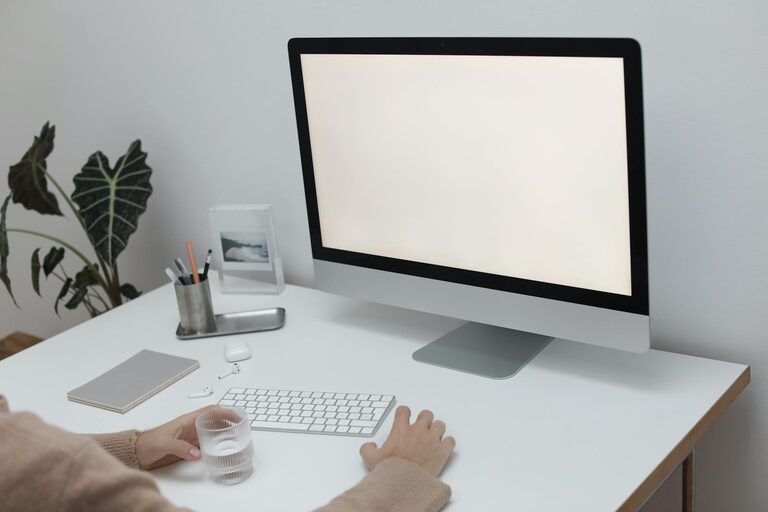
How to Refresh Your Workspace in Just Ten Minutes
A fresh workspace can do wonders for your focus, creativity, and overall mood. But when time is tight, it might seem impossible to give your desk or office area the attention it deserves. The good news? You can refresh your workspace in just ten minutes with a few straightforward steps. Whether you work from home or in an office, these quick tips will help you create a more inviting, organized, and inspiring environment.
—
Why Refresh Your Workspace?
Before we dive into the how, let’s quickly explore why it’s helpful to refresh your workspace regularly:
– Improves focus: A clutter-free area minimizes distractions, helping you concentrate.
– Boosts creativity: A clean and organized space invites clearer thinking.
– Reduces stress: Tidying up can create a calmer, more pleasant atmosphere.
– Increases productivity: Efficiency often rises when your tools and space are easy to navigate.
Even a fast refresh can make a noticeable difference!
—
Get Ready: What You’ll Need
To maximize your ten minutes, gather a few basic supplies beforehand:
– A trash bin or bag
– Cleaning wipes or a microfiber cloth
– A small box or basket to collect items to relocate
– Optional: a small plant or decorative item to brighten your space
Having these ready means you won’t waste precious minutes looking for what to use.
—
10-Minute Workspace Refresh: Step-by-Step
#### Minute 1-2: Clear Out Trash and Unnecessary Items
Start by quickly scanning your desk and immediate area for trash—old receipts, coffee cups, wrappers, sticky notes you no longer need. Toss these immediately. Then, put away items that don’t belong on your desk but have found their way there.
#### Minute 3-4: Declutter and Organize Essentials
Gather all loose papers, pens, chargers, or tech accessories. Sort them quickly: what you need daily should stay accessible; what you use less often can be put away in drawers or organizers. Place everything else in your “relocate” box to sort later.
#### Minute 5-6: Wipe Surfaces
Use a cleaning wipe or a damp microfiber cloth to clean your desk surface, keyboard, mouse, phone, and monitor. Wiping away dust and grime not only improves appearance but also reduces allergens and germs.
#### Minute 7: Rearrange Items for Efficiency
Look at your essentials and arrange them to improve your workflow. Put your most-used items within easy reach. Consider repositioning your monitor, desk lamp, or organizer for better ergonomics or lighting.
#### Minute 8: Add a Personal Touch
Quickly add or refresh a decorative element like a small plant, photo frame, or inspirational object. This boosts your mood and can make the workspace feel more welcoming.
#### Minute 9: Tidy Cables and Chargers
If time allows, neatly gather cables and chargers. Use cable ties or clips if you have them, or just tuck cables away to reduce tangling and visual clutter.
#### Minute 10: Final Check and Relax
Take a moment to look over your refreshed workspace. Adjust anything that looks out of place. Take a deep breath—you now have a cleaner, more inviting space to get back to work.
—
Bonus Tips for Maintaining a Fresh Workspace
– Daily five-minute tidy: Spend a few minutes every day straightening up to avoid buildup.
– Use storage wisely: Hooks, trays, and drawers help keep essentials organized.
– Keep it personal: A little personalization makes your workspace appealing without adding clutter.
– Prioritize lighting: Good lighting reduces eye strain and brightens the area.
– Regular breaks: Step away often to maintain focus and avoid burnout.
—
Conclusion
Refreshing your workspace doesn’t have to be a time-consuming chore. Just ten minutes can reset your environment and mindset, helping you work smarter and feel better. Try making this a quick routine at the start or end of your day, and notice how it positively impacts your productivity and mood.
Remember, a refreshed workspace is one step closer to a refreshed mind!
—
Whether you’re working from home or in an office, these simple steps can help you create a space that supports your best work—without taking time away from your busy schedule. Give it a try today!